
Nothing stays familiar.
From the Yellow Rooms to flooded poolrooms, abandoned offices and places that shouldn't exist. The corridors change. The doors close behind you.
RimeLime after dark / A Halloween invitation
Backrooms. Brainrot. Descent.
You were supposed to go outside.
Instead, you clocked out at the wrong office. The lights are humming. The maze goes down forever.
Before you enter: the game contains jump scares, flashing images and cartoon gore. Intensity and flashing-effect controls are available in the game's Settings. The preview below includes muzzle flashes and only plays when you choose to start it.
There's always another floor
Touch Grass is a first-person horror-comedy about an endless, shifting maze and the deeply unreasonable things that live in it.
Quiet corridors. Fluorescent lights. Then something you really wish you hadn't seen. Explore, survive and find the next door. No two descents are quite the same.
A standalone RimeLime game. No benchmark, no comparison to make. Just you, the maze, and a very questionable route outdoors.
From the Yellow Rooms to flooded poolrooms, abandoned offices and places that shouldn't exist. The corridors change. The doors close behind you.
Strange creatures, something in a bear suit, and things that get closer when you look away. Sometimes the funniest thing in the room is also the worst.
Go down alone, chase a deeper run, or choose “With others” to enter multiplayer. The next floor is waiting either way.
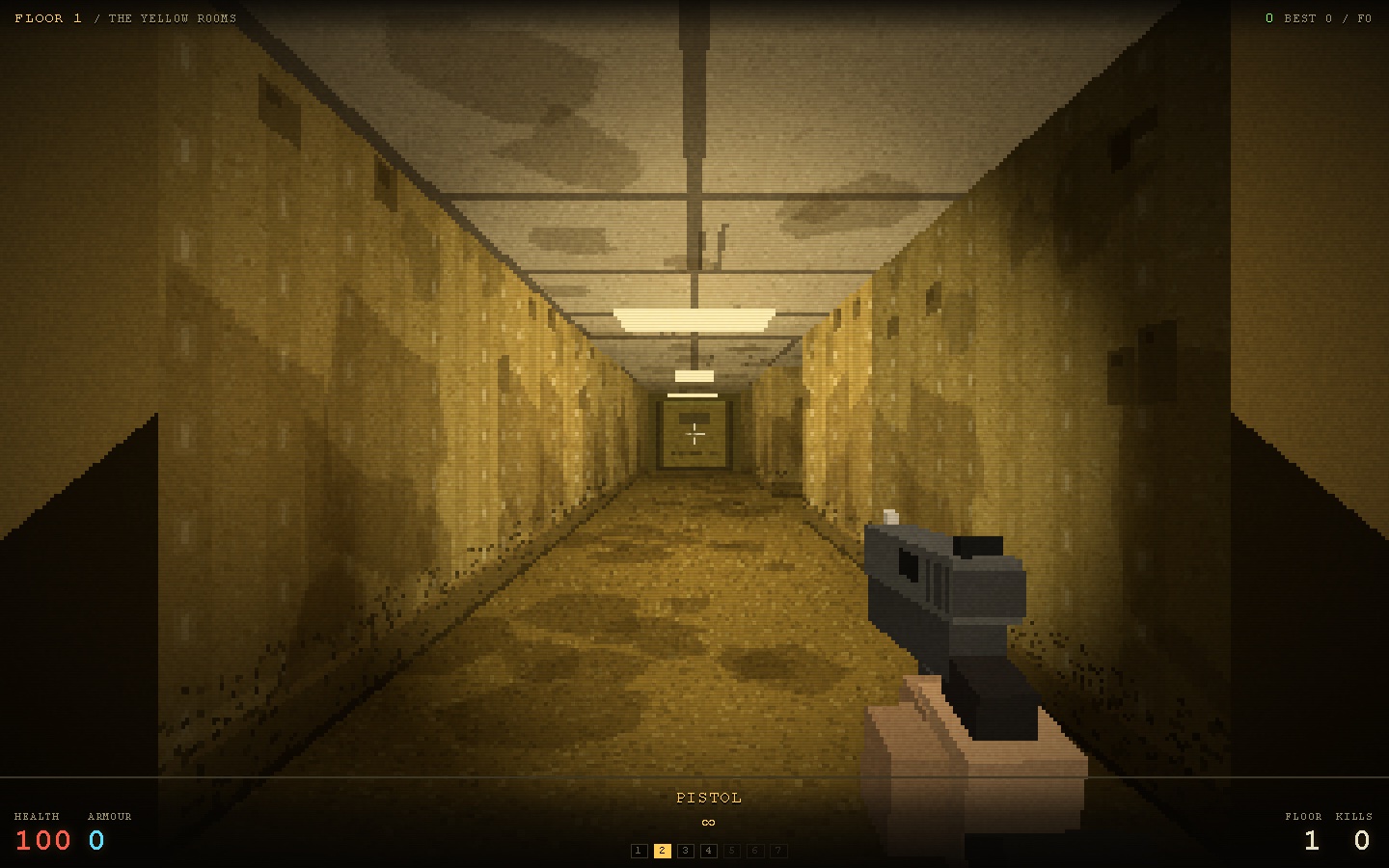
Recovered from the first floor
Real footage captured in the browser. Play the preview when you're ready; nothing starts on its own.
Silent 20-second gameplay preview: moving through the Yellow Rooms, looking around and firing a pistol. Starts directly in the game, with no loading screens or menus. Includes muzzle flashes.
A few things before you go
Use W A S D to move and the mouse to look. Click to shoot. Press F for your torch and E to interact.
The in-game “How to play” menu has the complete controls.
Drag on the left to move and on the right to look. Tap to shoot or interact with a nearby door. Use the on-screen buttons to switch weapons or pause.
Open Settings before your first run to adjust sensitivity and effects.
The door is still open
Runs in a WebGL-capable browser. No installation needed.